Introduction
Artificial Intelligence (AI) is changing the way people work. In 2026, professionals, freelancers, students, managers, and business owners use AI tools like ChatGPT to complete tasks faster and improve productivity. Instead of spending hours writing emails, creating reports, brainstorming ideas, or organizing projects, AI can help you finish these tasks in minutes.
The secret to getting the best results from AI is using the right prompts. A prompt is an instruction you give to AI that explains exactly what you want. Clear and detailed prompts produce better and more useful responses.
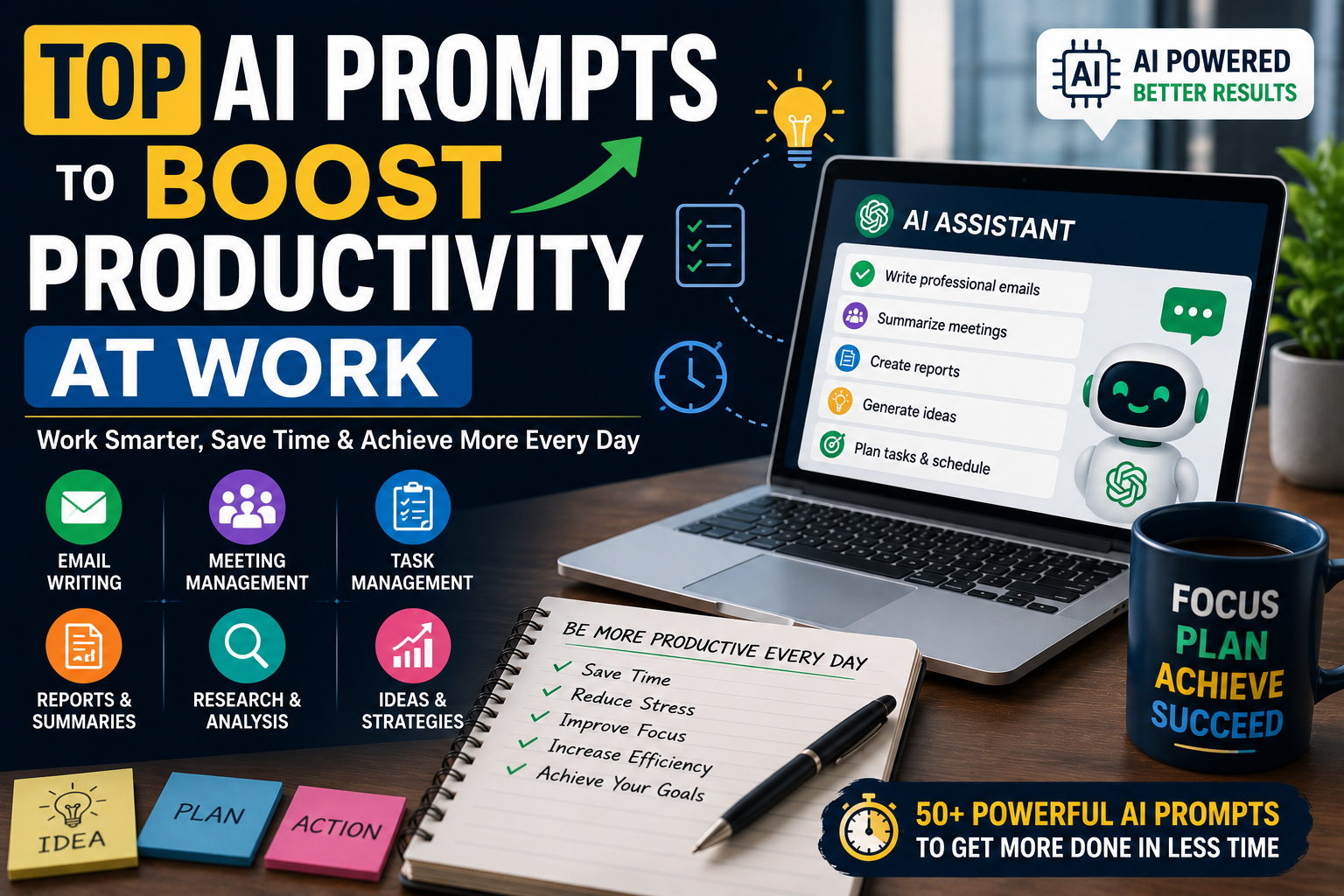
In this article, you will discover the Top AI Prompts to Boost Productivity at Work. These prompts can help you save time, improve efficiency, and focus on more important tasks.
What Are AI Prompts?
An AI prompt is a command or question that tells an AI tool what task to perform. The more information you provide, the better the AI understands your request.
For example, instead of saying:
“Write an email.”
You can write:
“Write a professional follow-up email for a client after a business meeting. Keep it polite, friendly, and under 150 words.”
This detailed prompt gives AI enough information to generate a high-quality response.
Why Use AI Prompts at Work?
Modern workplaces require people to handle many tasks every day. AI helps reduce repetitive work and allows employees to spend more time on creative and strategic activities.
Some major benefits include:
- Save valuable time
- Improve work efficiency
- Reduce repetitive tasks
- Write professional documents
- Generate new ideas quickly
- Improve communication
- Organize projects better
- Increase overall productivity
Whether you work in an office, remotely, or run your own business, AI prompts can make your daily work much easier.
Top AI Prompts to Boost Productivity at Work
Email Writing Prompts
- Write a professional business email.
- Create a follow-up email after a meeting.
- Draft a thank-you email for a client.
- Write a polite reminder email.
- Create a customer support email.
These prompts help you write clear and professional emails within minutes.
Meeting Prompts
- Summarize meeting notes.
- Create a meeting agenda.
- Write meeting minutes.
- List action items from this discussion.
- Generate follow-up tasks for the team.
These prompts make meetings more organized and productive.
Task Management Prompts
- Create today’s priority list.
- Organize my weekly work schedule.
- Break this project into smaller tasks.
- Suggest a daily productivity routine.
- Help me prioritize urgent work.
Good task management reduces stress and improves efficiency.
Content Writing Prompts
- Write a blog post about [topic].
- Rewrite this content in simple English.
- Improve grammar and readability.
- Create an engaging introduction.
- Write a professional conclusion.
These prompts are useful for marketers, writers, and business professionals.
Report Writing Prompts
- Create a business report.
- Summarize this report.
- Write an executive summary.
- Improve report formatting.
- Explain complex information in simple language.
AI can help create reports faster while keeping them professional.
Research Prompts
- Summarize this research article.
- Compare two products or services.
- List the pros and cons of a solution.
- Explain a topic in simple English.
- Suggest reliable sources for further research.
Research becomes faster when AI organizes information clearly.
Brainstorming Prompts
- Generate 20 business ideas.
- Suggest marketing campaign ideas.
- Create new product ideas.
- Generate blog topics.
- Suggest creative solutions for this problem.
AI is an excellent brainstorming partner.
Customer Support Prompts
- Write a professional response to a customer complaint.
- Create FAQ answers.
- Draft refund response templates.
- Write apology messages.
- Generate live chat responses.
These prompts improve customer communication and save support teams valuable time.
Marketing Prompts
- Write social media posts.
- Create Google Ads copy.
- Write Facebook advertisements.
- Generate SEO-friendly blog ideas.
- Suggest email marketing campaigns.
Marketing professionals can use AI to create high-quality campaigns much faster.
Productivity Prompts
- Help me plan my workday.
- Create a weekly productivity plan.
- Suggest time management techniques.
- Identify ways to automate repetitive tasks.
- Review my workflow and suggest improvements.
These prompts help employees work smarter instead of harder.
Tips for Writing Better AI Prompts
The quality of AI-generated content depends on how well you write your prompt. Always provide clear instructions instead of short or vague requests.
Include details like:
- Your goal
- Target audience
- Word count
- Writing style
- Tone of voice
- Deadline if needed
- Format of the output
- Any specific requirements
For example, instead of saying, “Write a report,” say, “Write a 700-word professional business report about remote work productivity using simple English with headings and bullet points.”
This gives AI a much better understanding of your needs.
Common Mistakes to Avoid
Many people expect AI to produce perfect results with very little information. This often leads to generic or incomplete answers.
Avoid these common mistakes:
- Writing unclear prompts
- Forgetting to mention the audience
- Ignoring formatting requirements
- Publishing AI content without editing
- Not checking facts and data
- Using prompts that are too short
Always review AI-generated content before using it professionally.
Best Practices for Using AI at Work
AI should be used as a productivity assistant, not as a replacement for human skills. Use AI to generate first drafts, summarize information, organize projects, and automate repetitive work.
Always add your own knowledge, creativity, and experience before sharing the final content. This ensures your work remains accurate, personal, and valuable.
You should also protect confidential company information and avoid sharing sensitive data with AI tools unless your organization’s policies allow it.
How AI Improves Workplace Productivity
AI helps professionals complete everyday tasks more efficiently. Instead of spending hours writing emails or reports, employees can use AI to create a strong first draft and then edit it according to their needs.
Project managers can organize schedules, marketers can generate campaign ideas, customer support teams can respond faster, and business owners can make better decisions using AI-powered insights.
By reducing repetitive work, AI allows professionals to spend more time on innovation, planning, and problem-solving.
Conclusion
Artificial Intelligence is becoming an essential workplace tool in 2026. From writing emails and reports to planning projects and creating marketing campaigns, AI helps professionals complete tasks faster and more efficiently.
These Top AI Prompts to Boost Productivity at Work can help employees, freelancers, business owners, and teams improve their daily workflow, save valuable time, and increase productivity. By using detailed prompts and reviewing AI-generated content carefully, you can get the best results while maintaining quality and professionalism.
The future of work is smarter with AI. Start using these prompts today and discover how they can help you work faster, stay organized, and achieve better results every day.
100 Best ChatGPT Prompts for Content Writing in 2026
OpenAI ChatGPT