Introduction
Managing a project is not always easy. Whether you are a freelancer, student, business owner, or project manager, keeping track of tasks, deadlines, documents, and team communication can become overwhelming. Missing even one important task can delay the entire project.
This is where Notion Templates for Project Management become extremely useful. Notion is one of the most popular productivity tools because it combines notes, task management, calendars, databases, and collaboration features into one workspace. Instead of using multiple apps, you can manage your entire project inside Notion.
The best part is that there are many ready-made Notion templates that help you organize projects without spending hours creating a system from scratch. In this article, you will learn about the Best Notion Templates for Project Management, their benefits, and how they can improve teamwork and productivity in 2026.
What Are Notion Templates for Project Management?
Notion templates are pre-designed workspaces created for specific purposes. A project management template includes pages and databases that help you organize tasks, assign responsibilities, monitor progress, and track deadlines.
Instead of building your own dashboard, you simply duplicate a template and customize it according to your project requirements.
These templates are suitable for personal projects, business teams, startups, agencies, remote workers, and students working on group assignments.
Why Use Notion for Project Management?
Project management requires organization and clear communication. Notion makes this easier by bringing all project information into one place.
Some of the biggest advantages include:
- Organize tasks in one dashboard
- Track deadlines and milestones
- Improve team collaboration
- Store project documents safely
- Monitor project progress
- Reduce missed deadlines
- Increase productivity
- Customize workflows easily
Because everything is connected inside one workspace, team members can quickly find the information they need without switching between multiple applications.
Project Dashboard Template
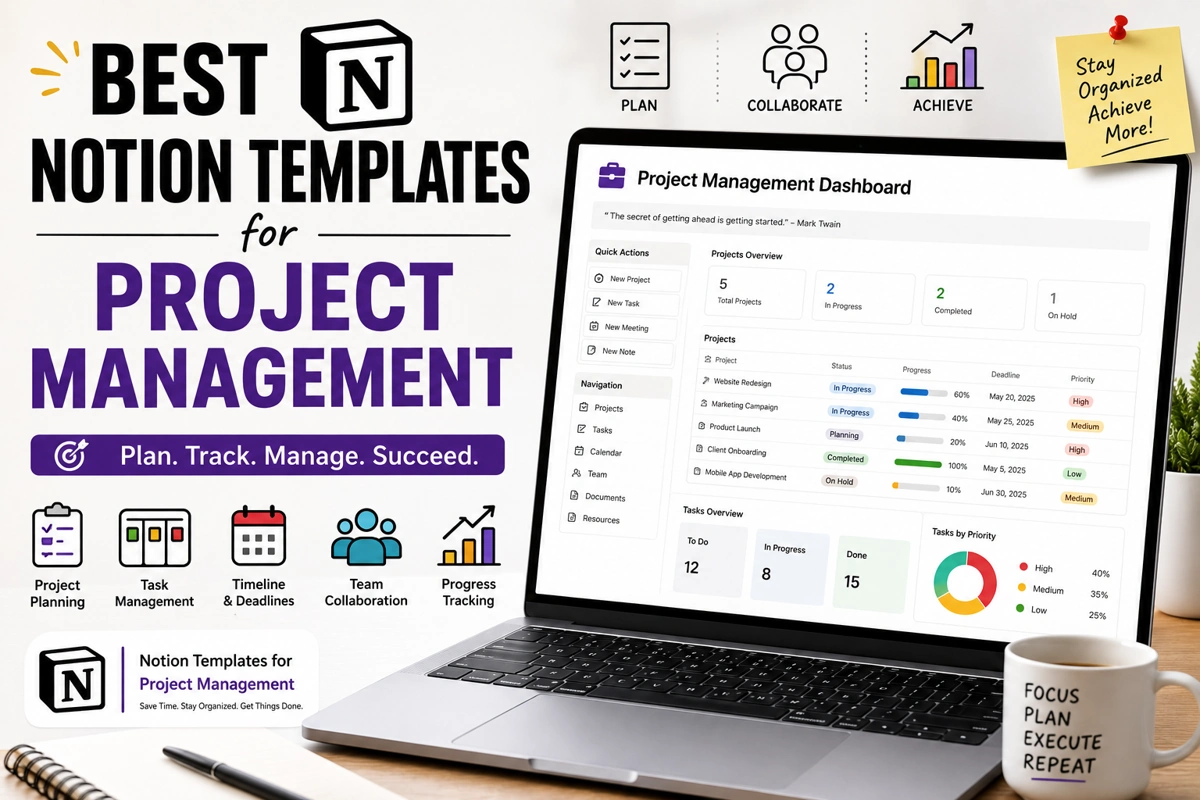
One of the most useful Notion Templates for Project Management is the project dashboard. This template acts as the central hub for your entire project.
A project dashboard usually contains task lists, project goals, team members, deadlines, calendars, progress indicators, and important documents.
Instead of opening different pages, you can see the complete project status from one screen.
This makes planning and decision-making much easier.
Task Management Template
Every successful project begins with proper task management.
A task management template allows you to organize work into categories such as:
- To Do
- In Progress
- Under Review
- Completed
Each task can include due dates, priority levels, team members, notes, and attachments.
This simple system helps everyone understand what needs to be completed and when.
Kanban Board Template
A Kanban board is one of the most popular project management systems.
Inside Notion, the Kanban template displays tasks as cards that move through different stages of completion.
Team members can quickly drag tasks between columns as work progresses.
This visual approach makes it easier to understand project status at a glance.
Many software companies, marketing agencies, and creative teams prefer Kanban boards because they simplify workflow management.
Content Planning Template
Content creators and digital marketing teams often manage multiple campaigns at once.
A content planning template helps organize blog posts, videos, social media content, email campaigns, and publishing schedules.
Everything from content ideas to publication dates remains organized inside one dashboard.
This template is especially useful for bloggers, YouTubers, social media managers, and content agencies.
Client Project Template
Freelancers and agencies frequently manage projects for multiple clients.
A client project template keeps each client’s information separate while allowing you to monitor deadlines, invoices, meetings, documents, and project progress.
Having everything organized reduces confusion and improves communication with clients.
It also helps deliver projects on time.
Team Collaboration Template
Good communication is essential for successful project management.
A team collaboration template provides shared pages where team members can leave updates, meeting notes, announcements, and important discussions.
Instead of searching through long email conversations, everyone can access the latest information from one location.
This improves teamwork and reduces misunderstandings.
Meeting Notes Template
Meetings generate valuable information that should never be lost.
A meeting notes template helps record important decisions, action items, responsibilities, deadlines, and future plans.
After every meeting, team members can review the notes and understand exactly what needs to be completed.
This improves accountability and project organization.
Goal and Milestone Tracker
Every project has important milestones that measure progress.
A milestone tracker allows project managers to monitor completed stages while planning future activities.
Instead of focusing only on daily tasks, teams can also see long-term project progress.
Celebrating completed milestones also motivates team members to stay productive.
Project Timeline Template
A timeline template provides a visual schedule showing project phases from beginning to completion.
Each phase includes start dates, deadlines, dependencies, and expected completion dates.
Project managers can quickly identify delays before they become serious problems.
Timelines are especially useful for large projects involving multiple departments.
Resource Management Template
Managing resources is just as important as managing tasks.
A resource management template helps organize budgets, documents, software subscriptions, equipment, and team availability.
Knowing which resources are available prevents unnecessary delays and improves project planning.
This template is valuable for businesses handling multiple projects simultaneously.
Benefits of Using Notion Templates for Project Management
Using Notion Templates for Project Management offers several advantages over traditional planning methods.
Everything remains organized inside one platform, making it easier to collaborate with team members and monitor progress.
Templates reduce setup time because most of the work has already been completed.
They also improve consistency since every project follows the same structure.
Another major benefit is flexibility. Templates can easily be customized to match different industries and project sizes.
Whether you manage a personal project or a large business operation, Notion can adapt to your workflow.
Tips for Managing Projects Successfully in Notion
Keeping your workspace organized is important for long-term success.
Update task statuses regularly so everyone knows the current progress.
Assign clear responsibilities to each team member to avoid confusion.
Use deadlines and reminders to ensure important tasks are completed on time.
Archive completed projects instead of deleting them so you can access past information whenever needed.
Review project progress every week to identify challenges before they become major issues.
Simple habits like these can greatly improve productivity.
Common Mistakes to Avoid
Many users create complicated dashboards with too many pages and databases.
A simple workspace is usually more effective than a complex one.
Another mistake is failing to update tasks regularly. Even the best project management system becomes useless if information is outdated.
Some teams also avoid documenting meeting decisions, which often leads to repeated discussions and misunderstandings.
Finally, avoid downloading too many templates at once. Start with one template, learn how it works, and gradually customize it according to your needs.
Why Notion Is Perfect for Project Management in 2026
Notion continues to grow because it combines multiple productivity tools into one platform.
Instead of using separate software for notes, task management, calendars, documentation, and collaboration, everything can be managed inside Notion.
Cloud synchronization allows team members to access projects from anywhere, making it an excellent choice for remote work and hybrid teams.
Its flexibility, clean interface, and growing collection of free templates make Notion one of the best project management tools available in 2026.
Whether you are managing business projects, freelance work, marketing campaigns, software development, or personal goals, Notion provides a simple and effective solution.
Conclusion
Using the right Notion Templates for Project Management can completely transform the way you organize and complete projects. From task management and Kanban boards to client workspaces, project dashboards, timelines, meeting notes, and team collaboration pages, these templates help simplify every stage of project planning.
Instead of struggling with scattered documents and missed deadlines, you can manage everything inside one organized workspace. Start with the templates that match your workflow, customize them according to your needs, and update them consistently.
In 2026, Notion remains one of the best productivity platforms for individuals and teams. By using the right project management templates, you can improve organization, save time, increase collaboration, and successfully deliver projects with confidence.
100 Best ChatGPT Prompts for Content Writing in 2026
OpenAI ChatGPT